 Dayana DailyOpen app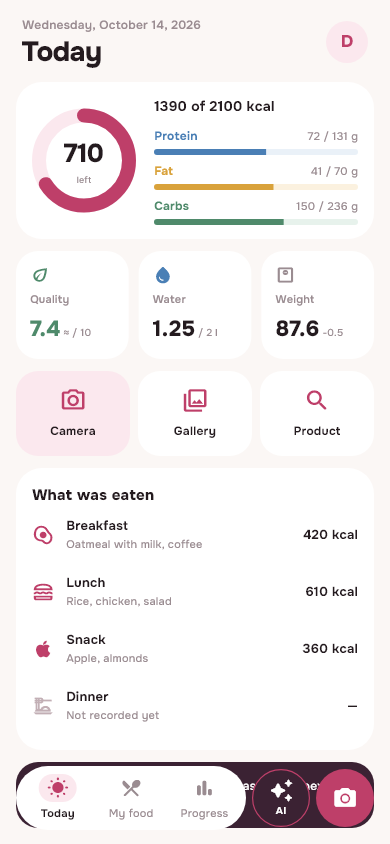
How to add food from a photo
Open Dayana and select camera or gallery from the Today screen. Take a photo that shows the dish, or choose a finished photo. If there is a clarification about the part eaten, add it: for example, that the side dish was left or that the sauce was not used.
The result of the analysis is a proposal for recording. Check the names, composition and grams before saving. An incorrectly recognized ingredient can be corrected or removed, and the known portion weight can be entered manually.
What most often changes the rating
- Butter, sauce, sugar and dressings that are almost invisible.
- Filling inside the dish or several layers of ingredients.
- Serving size: The same plate can contain different amounts.
- Beverage, bread or supplement outside frame.
- Part eaten: A photograph of the entire plate does not describe the leftovers after eating.
AI can offer a similar-looking dish with a different composition. For a recipe you make yourself, known ingredients are usually more useful than guessing based on appearance. For packaging, check the label and the selected product in the search.
Lettuce check example
Vegetables and pieces of cheese are visible in the photo. But the amount of butter or sauce cannot be determined from the photograph. Check the proposed composition with what was actually on the plate. If the mass is measured, substitute it; if not, take the grams and calories as an estimate.
Don't add missing ingredients just because the model suggested them. Conversely, the absence of oil in the result does not prove that it is not in the dish.
How to take photographs more conveniently
Show the entire dish and avoid a shot where most of the food is covered by packaging or utensils. If you have several different dishes, check that the results reflect the right parts. The known composition and comments about your portion are more important than a beautiful photo.
Photo analysis requires the Internet and is available within plan limits. If the connection is interrupted, check the result after the connection is restored before starting a new analysis. On iPhone, you can select a photo from the gallery if camera access is not shared.
Save the verified version
Choose a meal and save the result in your diary. The daily total is based on the saved record, so it is wiser to check the original data right away. For a dish that you eat often, your own library and recipe will come in handy.
Five-step checklist will help you remember your supplements and drinks. And in calculating a home recipe shows how to go from ingredients to a known portion without relying on a photograph.
Calories and macros from the photo are rough estimates, not an exact measurement and not a medical recommendation. If medical decisions depend on the composition of food, do not use recognition as a substitute for labeling or specialist advice.
From read to first write
Try it in your breakfast
Open Dayana, add food in a convenient way and check the portion before saving.
Open free diaryHow to install on iPhone →