Choose a convenient method
Camera, photo from gallery, search for a product or food from your library.
 Dayana Daily
Open diary
Dayana Daily
Open diary
Nutrition and habits at your pace
Count calories and macronutrients: add food from photos, through search or from your recipes. Food diary, water and weight progress - on Android, iPhone and Telegram.
Daily Basic free. On iPhone, you can use the web version from the icon on the Home screen.
Less routine
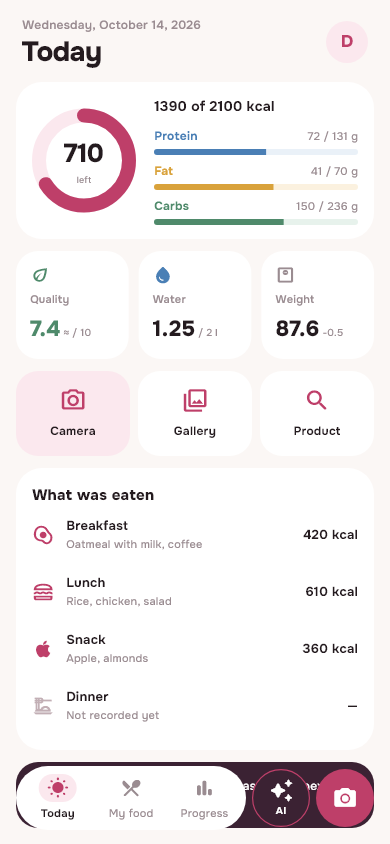
Camera, photo from gallery, search for a product or food from your library.
Check dishes and drinks, change grams and select meals before saving.
Food will appear in the diary. On “Today” calories and macronutrients will be updated, and in “Progress” the history will be visible.
Calories and macros: rough estimate. AI may make mistakes in the composition and portion: check the result before recording. Assessments are not a substitute for consultation with a physician.
Inside Dayana
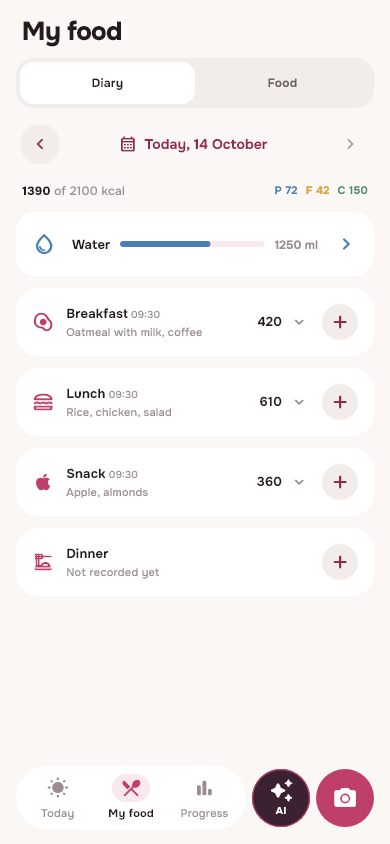
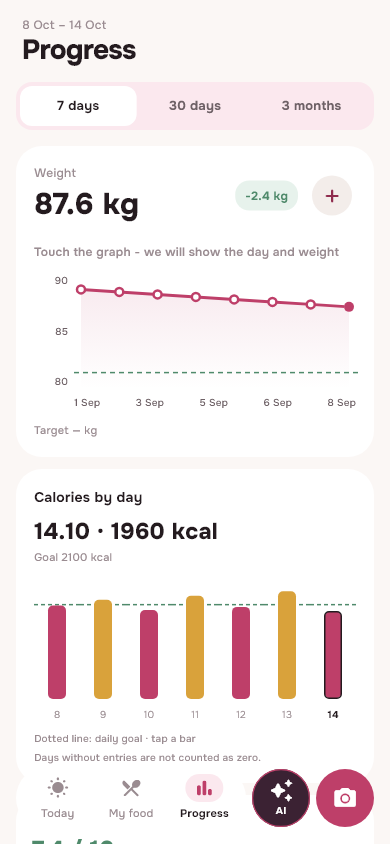
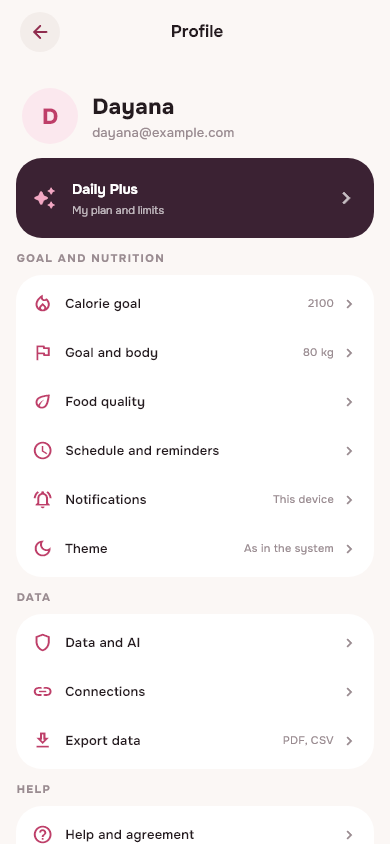
Current screens with example data. The application has light and dark themes.
For every day
AI suggests dishes, drinks and ingredients. Portions can be changed separately, and the result can be checked before recording.
How photo analysis works →Search for products, including by manufacturer. Save your favorites, create recipes and repeat your dishes. AI options have nutritional estimates.
Calories, proteins, fats and carbohydrates by meal. Correct entries and portions, go back to previous days and export history.
How to keep a diary →Mark your water, record your weight and change your personal goal. Graphs help you see changes over a week, month and three months.
Get advice about nutrition and habits, taking into account the permitted access to the diary. Ask to prepare a food record, then check the dishes and portions and save the result.
Personal push notifications about food, water and weight take into account time settings and quiet hours. You need to enable notifications on your device.
Choose your rhythm
Start with a free diary. Connect Plus when you want more analyses and help throughout the day.
Free
Basis for daily entries.
More support
All Basic features and more:
Daily Plus is now connected by the administrator. Open “Profile → Plan”: the current limits and access period are indicated there. There is no automatic charge or renewal. After you finish Plus, your entries are saved.
Always at hand
One email and one diary on different devices.
Download the latest APK directly from this site. Open the file on your phone and confirm the installation. If Android asks, allow installation for the browser you are downloading from.
Download Android APKThe update is installed on top of the previous version.
Open Dayana in Safari and select Share → Home Screen. For push notifications, launch the application from this icon and enable notifications.
Open web applicationInstructions for iPhone →Go to @dayanadaily_bot and click “Open Dayana” in the bot menu. Use your account to see the same diary.
Open TelegramHave a question?
Daily Basic has Diary, Basic Photo Analysis Limit, Search, Library, Favorites, Recipes, Water, Weight and Progress. The analysis limit for your account can be viewed in “Profile → Plan”.
Plus has more analysis, Daily AI chat, personalized routine reminders, label analysis, meal plan and shopping list. AI can prepare an entry upon request: you check it yourself before adding it.
Now access is granted by the administrator. Instructions, email account and access period are in the “Plan” section. There is no automatic charge or renewal.
This is an estimate. Oil, sauces and exact weight are not always visible from the photo, and the AI search is not a verified database of manufacturers. Check the composition and macronutrients with the packaging and adjust the portion before storing.
Allow notifications in the application and system. In Daily Plus, set meal times, water times, weight times, and quiet hours in your profile. System messages and general application reminders are also available in Basic; they are configured separately. On iPhone you need to launch from the Home icon.
You can use the web version on iPhone and Android. There is also an APK for Android. To log in, AI and download current data, you need the Internet. If connection is temporarily lost, pending entries are stored on the device.
The created records and plans will be saved. You can view them and record the food you eat in your diary. The history is available in one account on the web, Android and Telegram.
Dayana Magazine
What to write down on the first day, how to check portions and what functions are available in Basic.
Read →Food and recipes · 02Ingredients, finished weight and clear calculation for 100 grams and your portion.
Read →Select application · 03Honest comparison of features and plans, Dayana screenshots and verifiable serving examples.
Read →Start small
Create a diary for free and try it at your convenience.